Since December 17th eWelink started to support linking to Samsung’s SmartThings. At first the linking process was unclear but later on became more clear. Then people started wondering which exact products are supported. eWeLink has published a list with examples of devices that are supported for the SmartThings integration.
Supported categories of devices
In general the following categories of devices are supported to use within SmartThings:
- Outlets (smart plugs and sockets)
- Switches / dimmers (mostly on / off devices)
- Lighting
- Open / closed sensor
Outlets
The outlets category is a wide range of smart plugs and sockets. Examples given by eWeLink are the Sonoff S26, Sonoff S20 and Sonoff S55. But several C338 smart plugs of several brands are also known to work with SmartThings.
eWeLink also states that power measurement devices are also supported such as the Sonoff POW, Sonoff POWR2, and the Sonoff S31. From our own experience also the SA-001 of different brands is supported. It seems that only the on / off feature of these devices is supported.
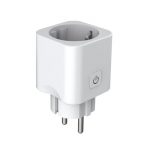
Random products for categories Plugs, Outlets and Power Consumption Meters
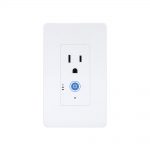
Sonoff IW100
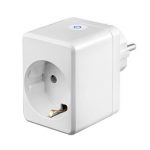
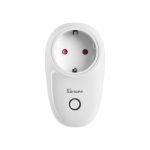

Sonoff S55
- Many different sockettypes (FR/DE/UK/US/AU/ZA)
- IP55 waterproof, ideal for outdoor
Switches / dimmers
This category mostly contains on / off devices. Examples given by eWeLink are 1-, 2-, 3- and 4-gang devices such as the Sonoff 4CHR2/PROR2, Sonoff MINI, Sonoff TX and the Sonoff BASICR2. Also switches with temperature and humidity measurement like the Sonoff TH10 and TH16 are mentioned although we have doubts whether it shows the measured values. We don’t own a TH10 or TH16 ourselves and can’t confirm or deny whether displaying the measurement values works.
Random products for category Switches
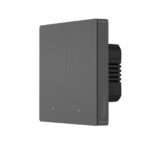
Sonoff M5-2C-86
- Physical momentary buttons, not touch buttons
- 2-gang
- 86 mm wall mount standard which fits EU wall mounts
- Works with WiFi
- Requires both live and neutral wires to work!
- Small LED indicator lights which are dimmable
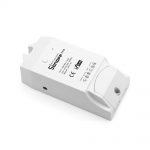
Sonoff TH10
- Monitor temperature and humidity in real-time.
- Turn a device on or off based on temperature and/or humidity in the auto mode.
- Create scenes with temperature and humidity as triggers to switch other devices.
- Supports up to 10A, 2200W.
- The sensors are not included in the default package and must be purchased separately!
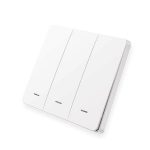
Lonsonho RF 433 MHz light switch
- 433 MHz RF switch
- Available in variants of 1-, 2- and 3-gang
- Operates on CR2032 battery
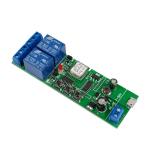
SmartWise 5V-32V 2-gang smart relay switch
- Easy and ideal 2-gang switch to build in your DIY automation setup
- NO and NC contacts for output. Volt-free dry contact relay.
- Input can be either 5V USB or 7 – 32V DC direct wires
- Attached appliances can be 90 – 250V, max 10A (AC) or 0 – 30V, max 10A (DC).

SmartWise BRFW1
- 433 MHz RF switch
- Physical button
- 1-gang
- Can be easily installed anywhere with 3M adhesive tape or screws
- Operates on CR2032 battery (not included)
Lighting
In this category it is al about devices that emits normal light such as A60 filament light bulbs, RGB light bulbs and the L1 ledstrip. Setting the brightness and color is supported.
Random products for category Lights
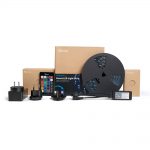
Sonoff L1
- IP65 water proof 5050 LED light strip
- Can be easily cut and paste which allows you to mold it to any shape you want or decorate any object you want
- Default kit can be extended to a limit of 10 meters in total
- Power adapter included with UK, EU and US standard plugs
- Infrared remote control included
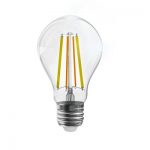
Sonoff B02-F-A60
- Ideal lamp for quickly switching from cozy warm and dimmed light to bright cold light.
- Filament light bulb gives retro look.
- Can be installed in an existing fitting. Doesn’t require an additional switch, additional plug or manual modifications.
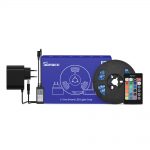
Sonoff L1 Lite
- 5050 LED light strip, not water proof!
- 5 meter LED light strip, 30 LEDs per meter
- Not recommend to extend the default kit!
- Can be easily cut and paste which allows you to mold it to any shape you want or decorate any object you want
- Default kit can be extended to a limit of 10 meters in total
- Versions with power adapters for EU and US
- Infrared remote control included
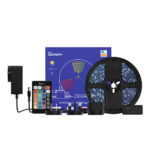
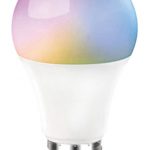
Centechia RGBCCT color bulb
- Ideal lamp for quickly switching from cozy warm and dimmed light to bright cold light.
- Can be installed in an existing fitting. Doesn’t require an additional switch, additional plug or manual modifications.
Open / closed sensor
For this category only Zigbee window/door sensors connected though a eWeLink supported Zigbee hub are supported.
Random products with attribute “door sensor”
It is possible that this list also shows non-Zigbee products. Please check each individual product information page to check whether it supports Zigbee or not.
Click here for an exact search for Zigbee window/door sensors.

SmartWise RF DW2+
- Door/window sensor which uses RF on 433.92 MHz
- Requires a RF bridge to use it with eWeLink
- Has seperate alert signals for open and close alerts
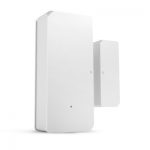
Sonoff DW2-RF
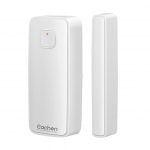
Eachen WiFi Smart door/window sensor – WDW
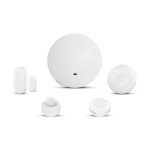
AllbeAI Zigbee Smart Security Suite
- Complete Zigbee kit for non-critical security measures
- Manage Zigbee sub-devices directly from the home page of the eWeLink app. No need to access a sub-device page anymore.
- Supports Zigbee sensors of several other brands and platforms too.
- Reports status back to the app where RF isn’t capable to do so.
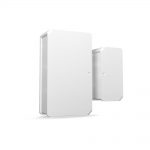
Sonoff SNZB-04 Wireless door/window sensor
Future plans of eWeLink with SmartThings
eWeLink writes they will add more devices to support SmartThings in the future. They are also planning to introduce a more in-depth linking method.
Source
This newsarticle is based on information that can be found within the eWeLink app at Message > Explore > SmartThings Compatible Products via account linking.